Add a new Collection
To add a new or edit an existing Collection for the Catalogue, follow these steps.
Prerequisites
- You need to have the Admin role in FarEarth
Step 1
- Go to FarEarth (https://gateway.farearth.space/)
- Log in with your e-mail and password
Step 2
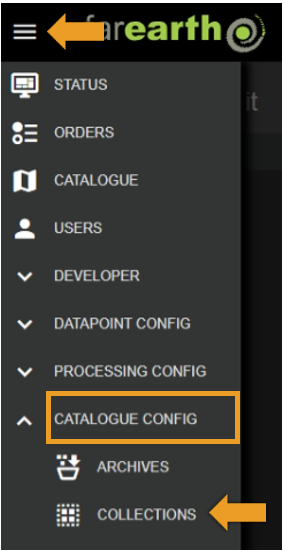
- Click MENU
- Click CATALOGUE CONFIG
- Click COLLECTIONS
Step 3
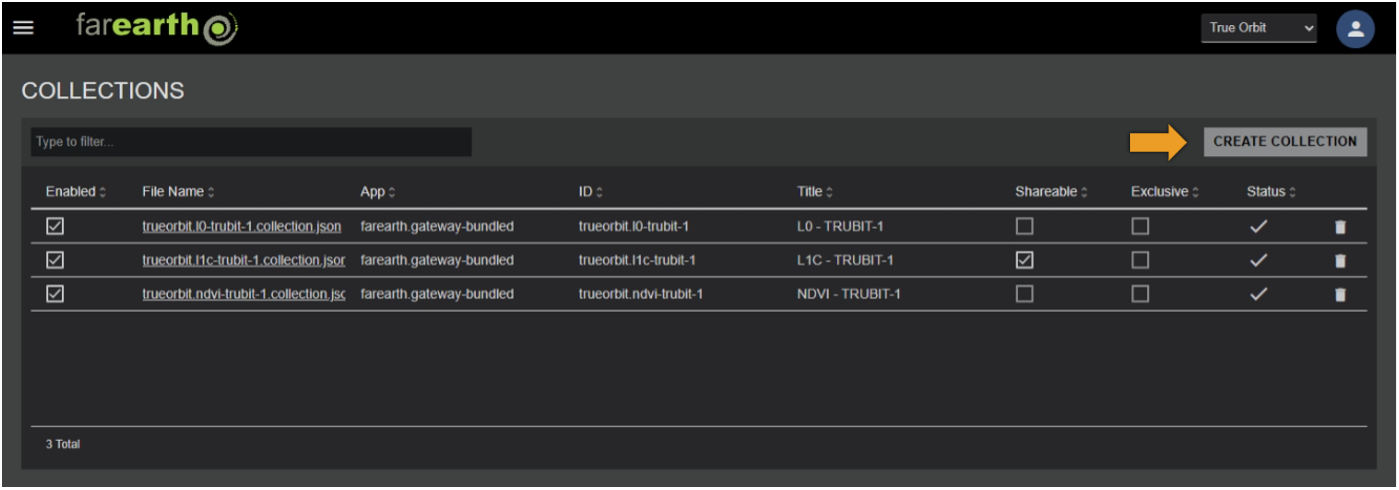
- Click CREATE COLLECTION
Step 4
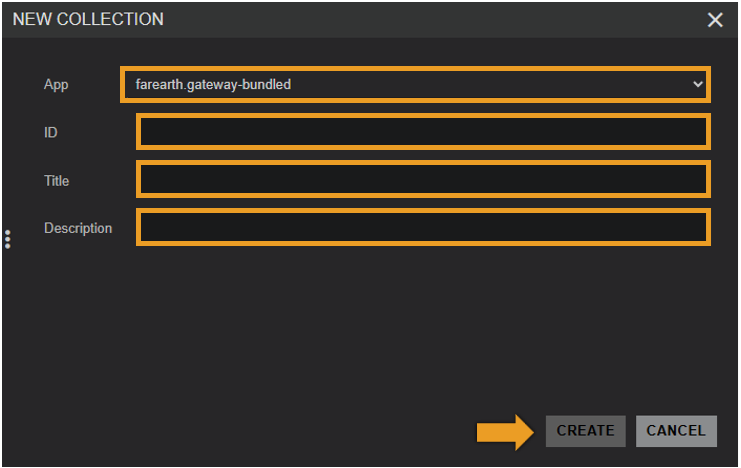
- In NEW COLLECTION, enter the required fields
- Click CREATE
| Field | Details |
|---|---|
| App | The FarEarth application ID where the Collection will be created |
| ID | A unique ID for the Collection |
| Title | A name for the Collection |
| Description | A short description of the Collection |
note
The title of the Collection will be shown in the FarEarth Catalogue. When using the STAC APIs, you can use the ID of the Collection.
Step 5
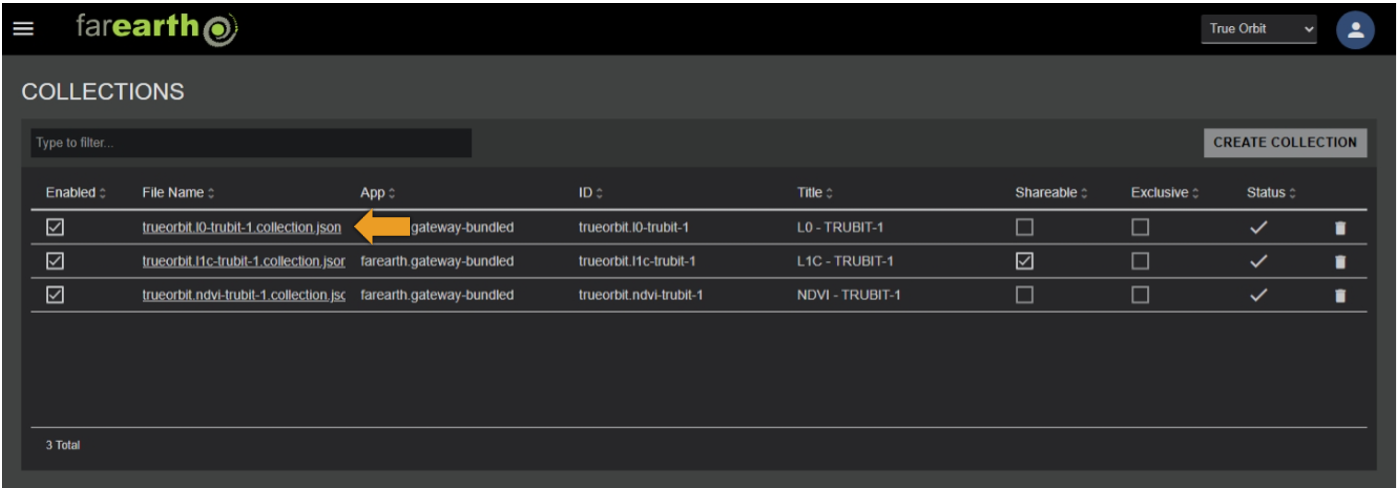
- The new Collection will appear in the list
- FarEarth automatically adds additional fields to the Collection
| Field | Details |
|---|---|
| Enabled | Controls whether the Collection is enabled or not |
| File Name | The JSON filename of the Collection as stored on disk |
| Shareable | Controls whether the Collection may be shared with other subscriptions |
| Exclusive | Limits the Collection to be shareable with only one subscription |
Step 6
- The Collection is pre-populated with a template that requires further editing
- To edit the Collection configuration, click on the filename in the Collection list
- See configure Collection
Expected outcome
- You can edit or add your own collections to FarEarth