Add a new Data Host
Follow these instructions to configure a new Data Host in FarEarth.
Prerequisites
- You need to have the Admin role in FarEarth
Step 1
- Go to FarEarth (https://gateway.farearth.space/)
- Log in with your e-mail and password
Step 2
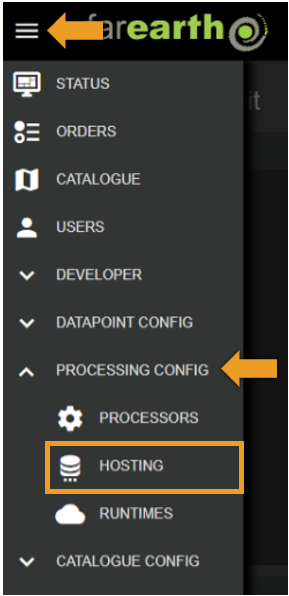
- Click MENU
- Click PROCESSING CONFIG
- Click HOSTING
Step 3
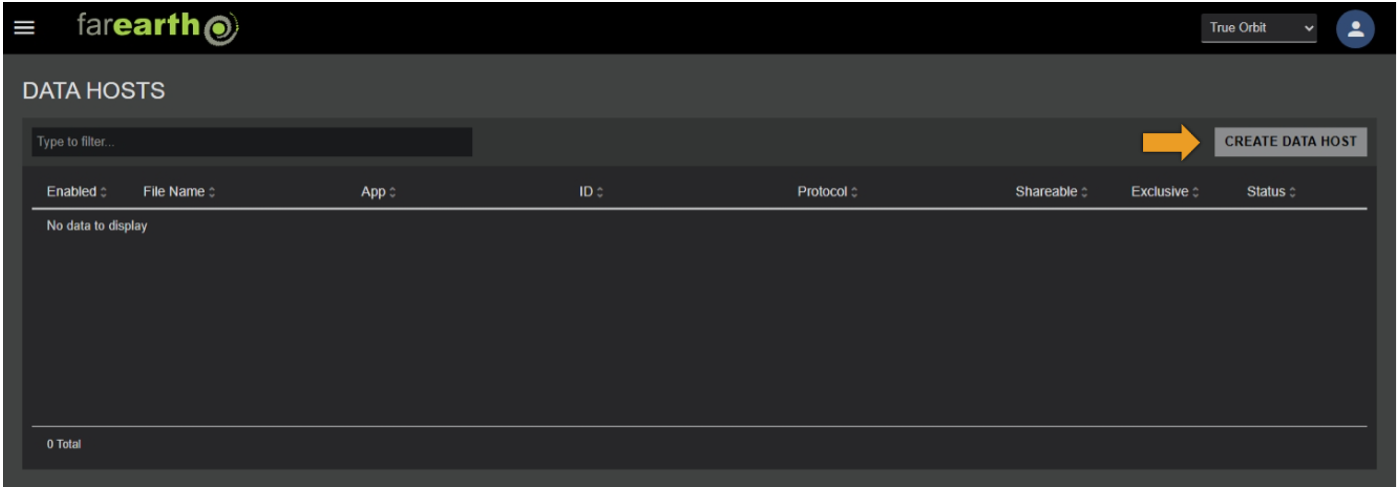
- Click CREATE DATA HOST
Step 4
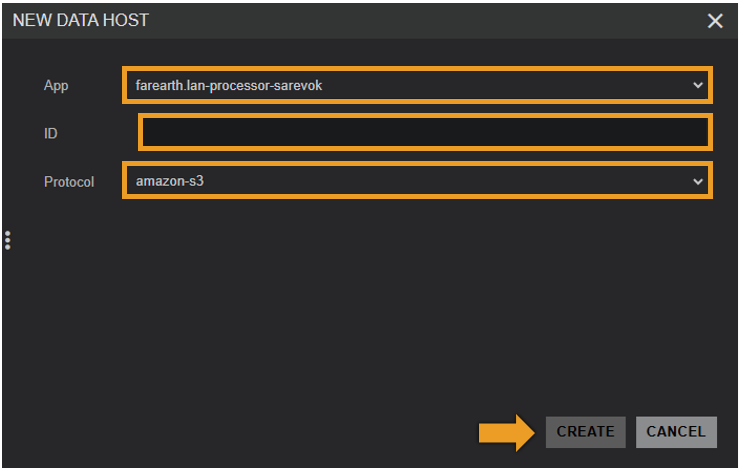
- In NEW DATA HOST, enter the required fields
- Click CREATE
| Field | Details |
|---|---|
| App | The FarEarth application ID where the Data Host will be created |
| Subscription | The subscription that will own the Data Host configuration |
| ID | A unique ID for the Data Host |
| Protocol | The protocol that this Data Host will use |
Step 5
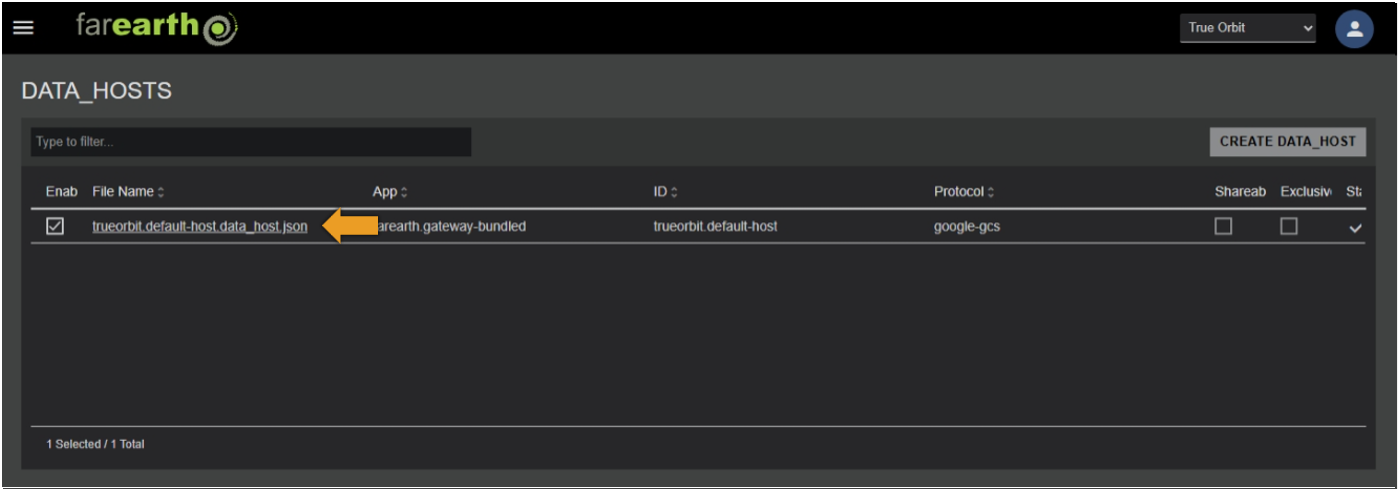
- The new Data Host will appear in the list
- FarEarth automatically adds additional fields to the Data Host
| Field | Details |
|---|---|
| Enabled | Controls whether the Data Host is enabled or not |
| File Name | The JSON filename of the Data Host as stored on disk |
| Shareable | Controls whether the Data Host may be shared with other subscriptions |
| Exclusive | Limits the Data Host to be shareable with only one subscription |
Step 6
- The Data Host is pre-populated with a template that requires further editing
- To edit the Data Host configuration, click on the filename in the Hosts list
Host details
The table below lists the various fields in a Data Host configuration.
| Field | Example Value | Details |
|---|---|---|
id | farearth.azure-host-101, farearth.fs-host-101 | Unique identifier of the host. The ID startss with the subscription ID (example, farearth). This ID is used to provide access to the host for specific users and subscriptions, and to track any activity related to the host |
protocol | azure, amazon-s3, google-gcs, gdrive, filesystem, pyxis | The hosting protocol to use. This field determines the required properties |
dataRetentionWindow | 12 hours | Defines how long data is retained in the host before automatically being removed |
shareable | true, false (default) | Controls whether the host may be shared with other subscriptions. NOTE: setting this to true does not yet share the host |
properties | Unique properties required by the specific protocol. For more details, see the protocol specific documentation |
Expected outcome
- You can edit or add your own data hosts to FarEarth