Add a new Pickups
Follow these instructions to configure a new Pickup in FarEarth.
Prerequisites
- You need to have the Admin role in FarEarth
Step 1
- Go to FarEarth (https://gateway.farearth.space/)
- Log in with your e-mail and password
Step 2
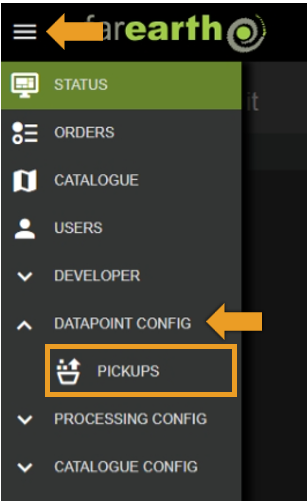
- Click MENU
- Click DATAPOINT CONFIG
- Click PICKUPS
Step 3
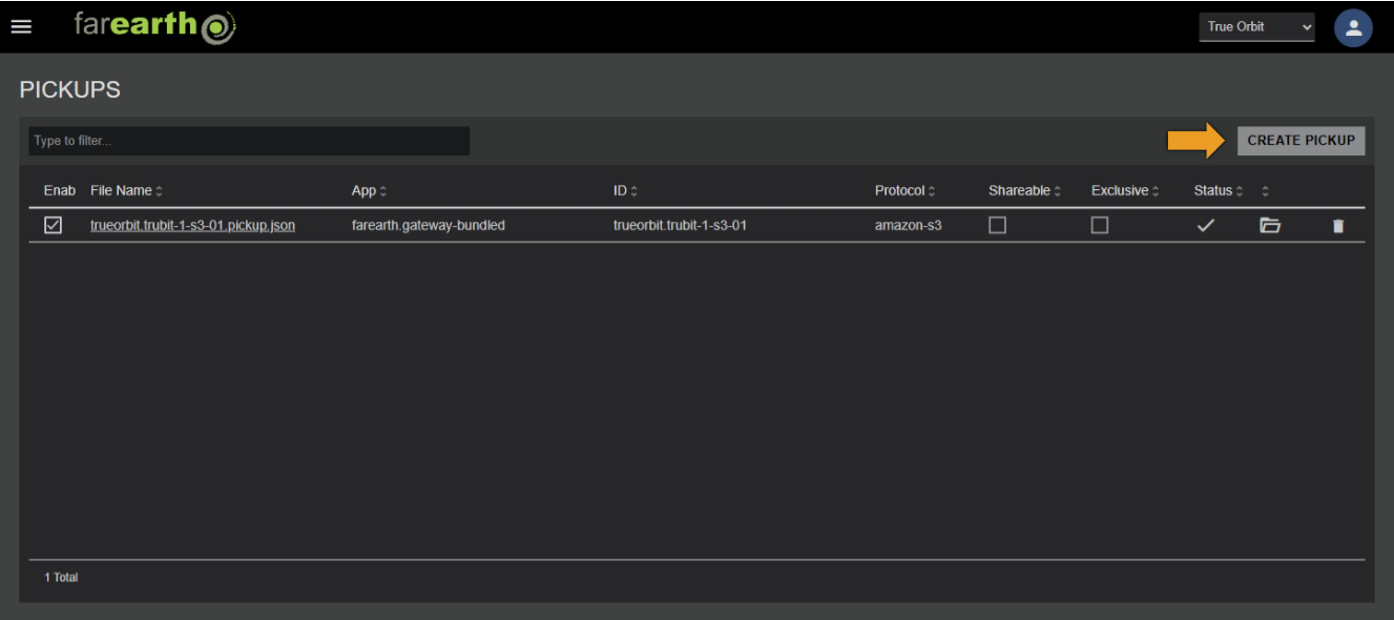
- Click CREATE PICKUP
Step 4
- In the NEW PICKUP window, enter the required fields
- Click CREATE
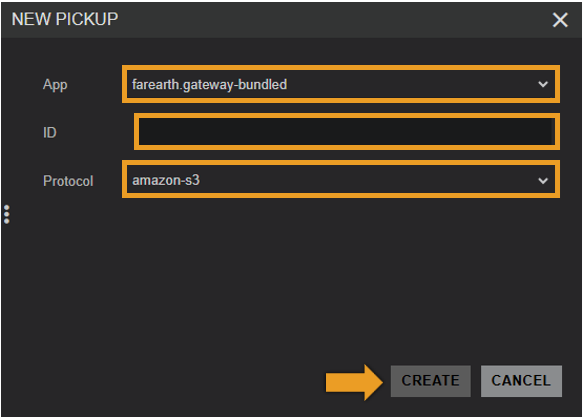
| Field | Details |
|---|---|
| App | The FarEarth application ID where the Pickup will be created |
| ID | A unique ID for the Pickup |
| Protocol | The protocol that this Pickup will use (see Pickup configuration) |
Step 5
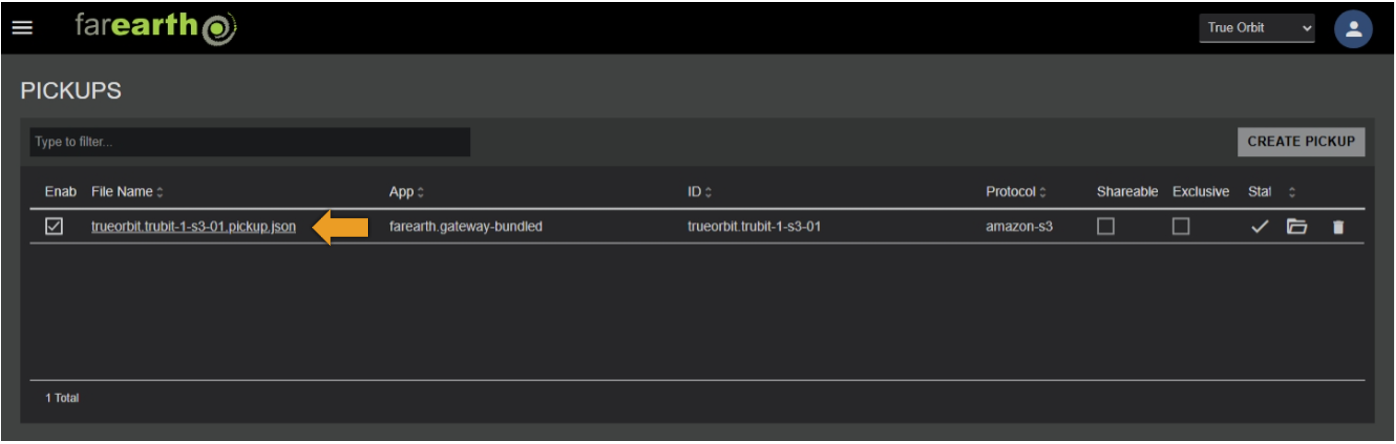
- The new Pickup will appear in the list
- FarEarth automatically adds additional fields to the Pickup
| Field | Details |
|---|---|
| Enabled | Controls if the Pickup is enabled or not |
| Deactivated | Shows if the Pickup is active or not from the datastore protocol's perspective |
| File Name | The JSON filename of the Pickup as stored on disk |
| Shareable | Controls if the Pickup may be shared with other subscriptions |
| Exclusive | Limits the Pickup to be shared with only one subscription |
Step 6
- The Pickup is pre-populated with a template that requires further editing
- To edit the Pickup configuration, click on the filename in the Pickup list
- See configure Pickup
Expected outcome
- You can edit or add your own pickups to FarEarth