Create a ticket
Follow these steps to create a ticket in the FarEarth Helpdesk.
Prerequisites
- You need to be logged into the FarEarth Helpdesk. See how to log into Helpdesk
Step 1
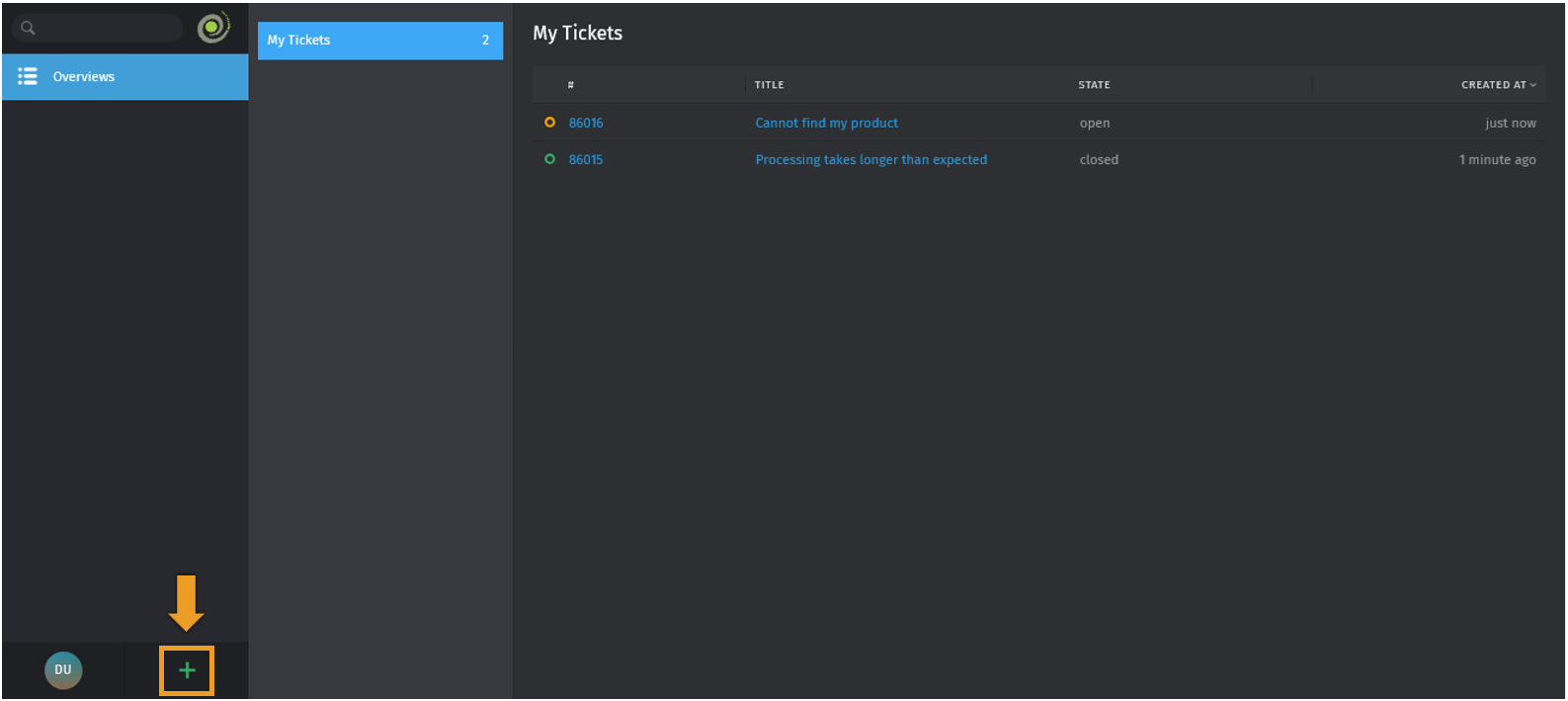
- From your Helpdesk dashboard, click the PLUS ICON
Step 2
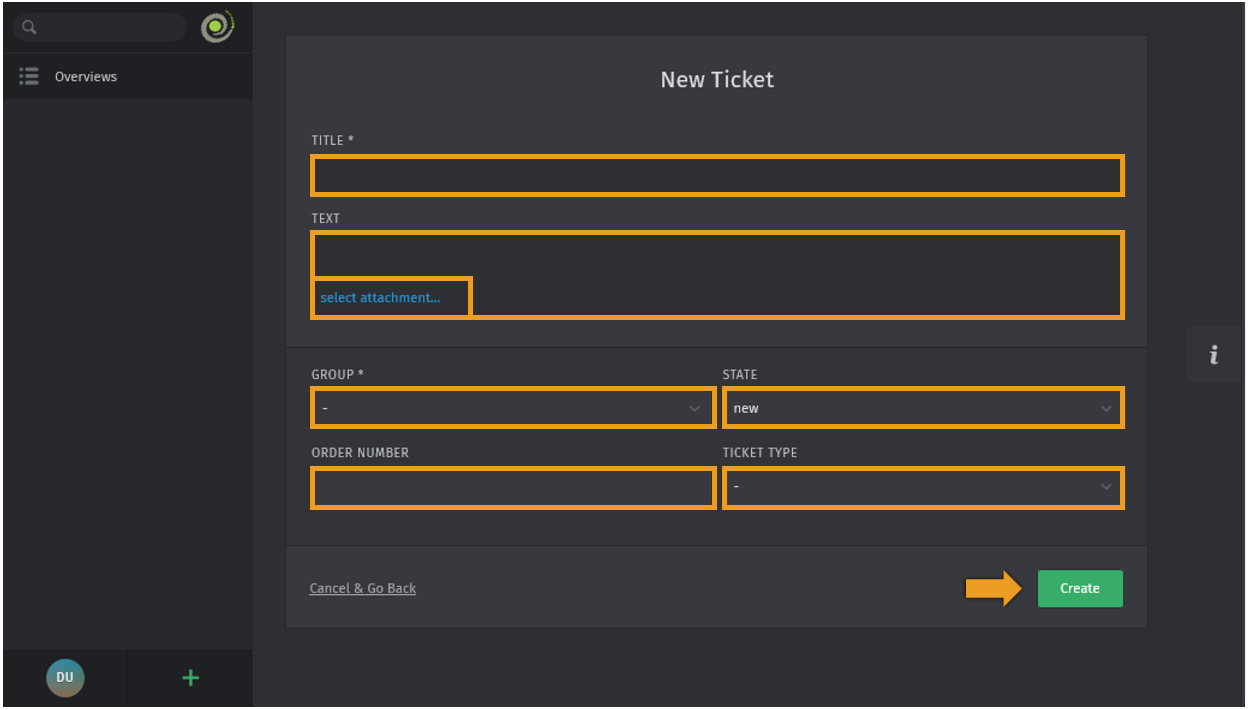
- Fill in the ticket details
- TITLE: a short summary of your issue
- TEXT: describe your issue in as much detail as possible
- GROUP: select the relevant department the ticket should go to
- STATE: the current status of the ticket (example, "new" for new support requests)
- ORDER NUMBER: the FarEarth order number, if applicable
- TICKET TYPE: the category that best describes your issue
- If needed, click SELECT ATTACHMENT to attach supporting files (example, screenshots, logs)
- Click CREATE
note
The more detail you provide in the TEXT field, the better our team can assist you.
If the support requested is in relation to a FarEarth processing error, supplying the ORDER NUMBER will help us identify the issue.
Expected outcome
- You can now create tickets
- New tickets created will receive a ticket number
- You will receive e-mail updates as your ticket is processed