Delete products
Follow these steps to delete a satellite product from FarEarth.
caution
Deleting a product is permanent. Once a product is deleted, it cannot be recovered.
note
You can only delete products that belong to your organisation.
Prerequisites
- You need to have access to a FarEarth subscription with permission to delete data
note
If you do not have the relevant FarEarth permissions, contact your organisation's administrator.
Step 1
- Go to FarEarth (https://gateway.farearth.space/)
- Log in with your e-mail and password
Step 2
- Follow the instructions in the search for satellite data how-to guide to find and select a product
- Once selected, the product will open in the product window
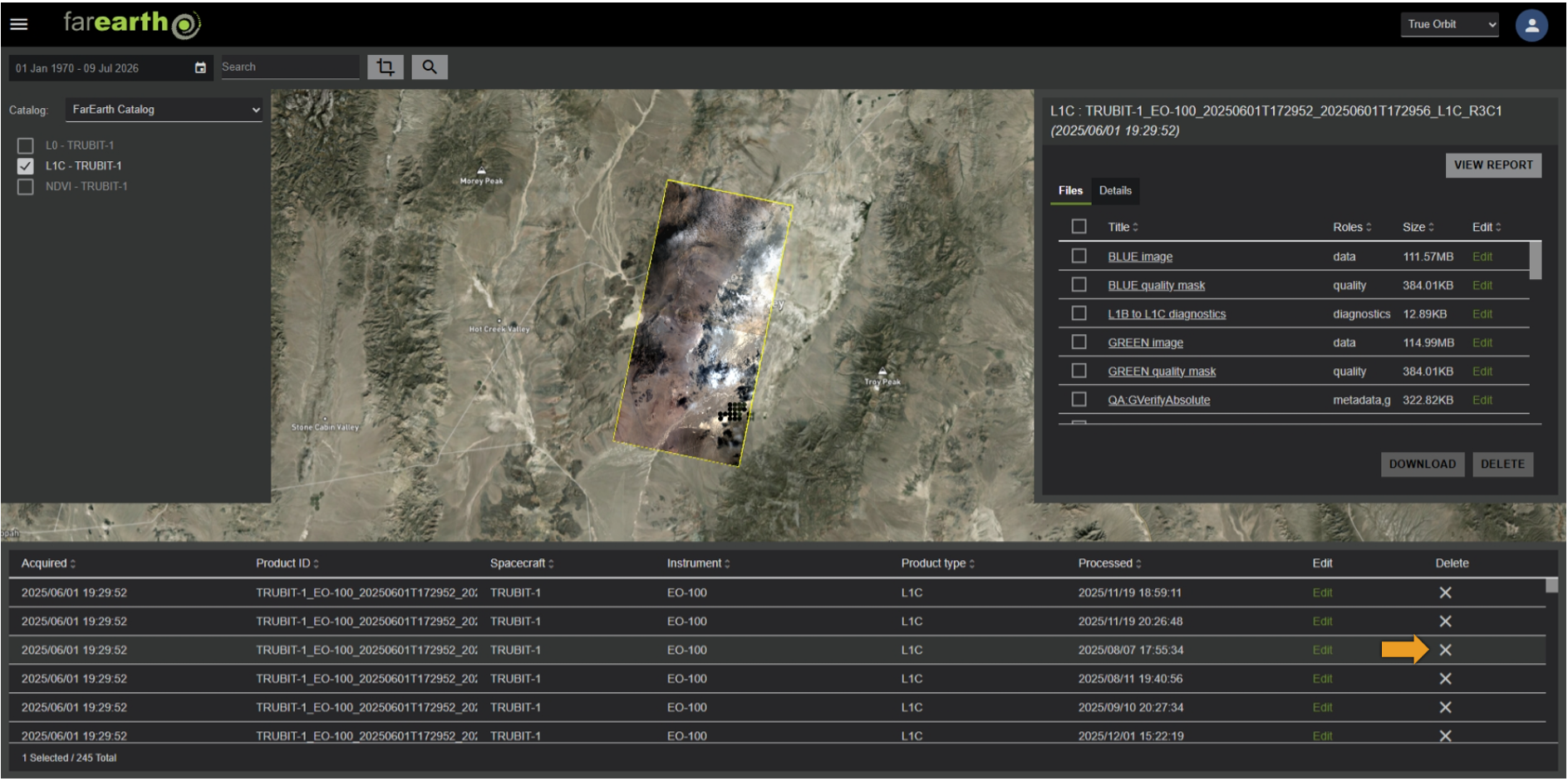
Step 3
- In the product window, click on the X icon to delete the product
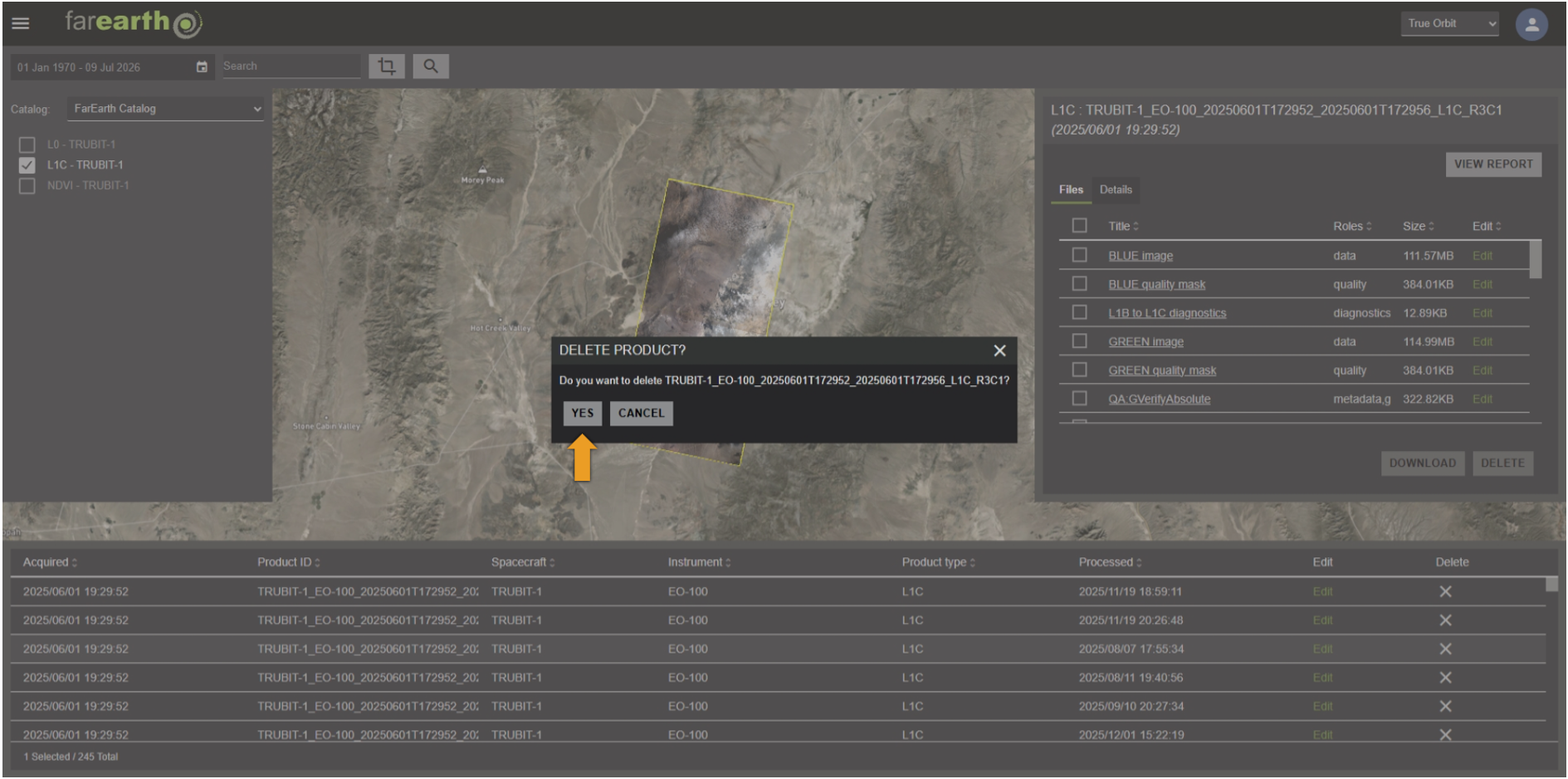
Step 4
- A confirmation dialog will appear
- Click YES to permanently delete the product, or click CANCEL to keep the product
Expected outcome
- The product will be permanently deleted from your FarEarth Archive