Find a ticket
Follow these steps to find a ticket in the FarEarth Helpdesk.
Prerequisites
- You need to be logged into the Helpdesk see log into Helpdesk
Step 1
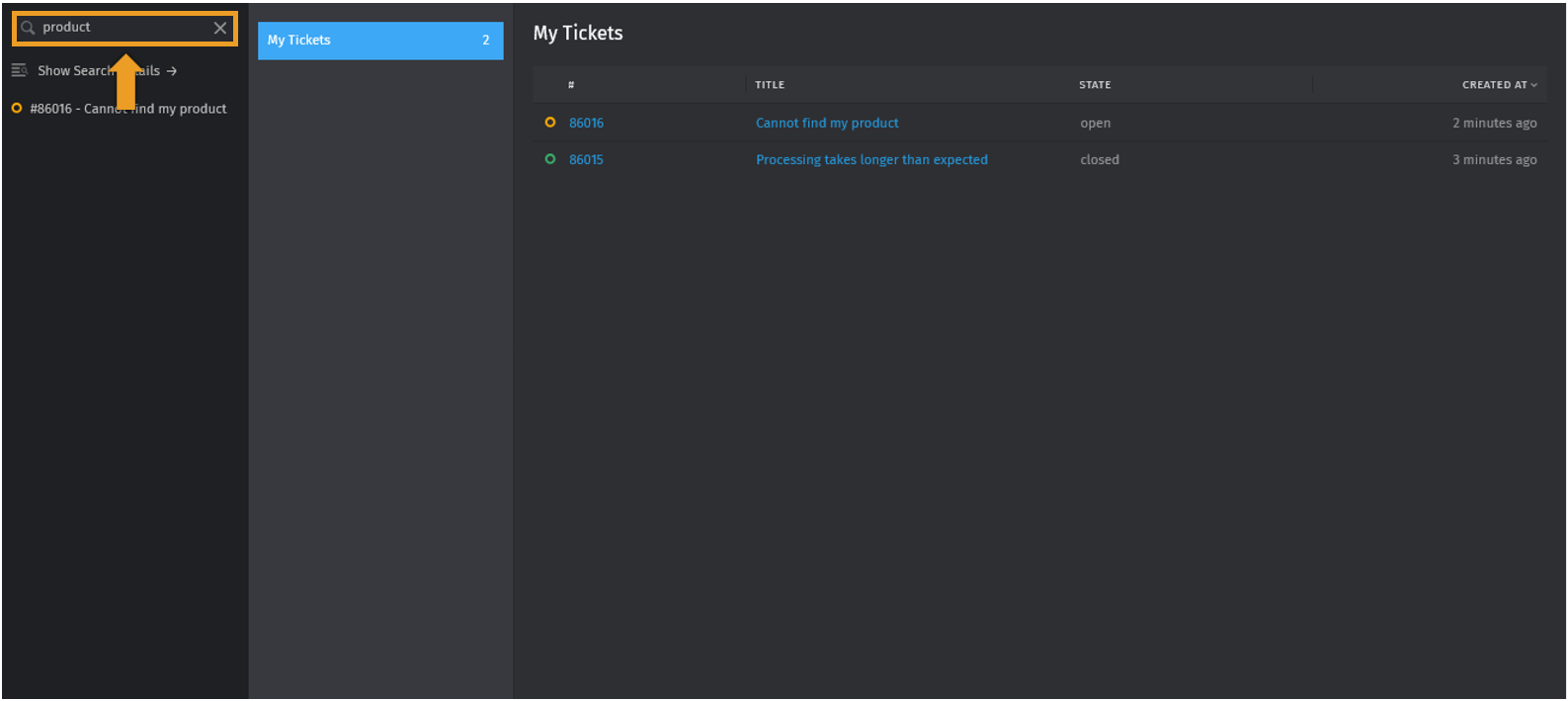
- Click SEARCH
- Enter a ticket number or ticket title
Step 2
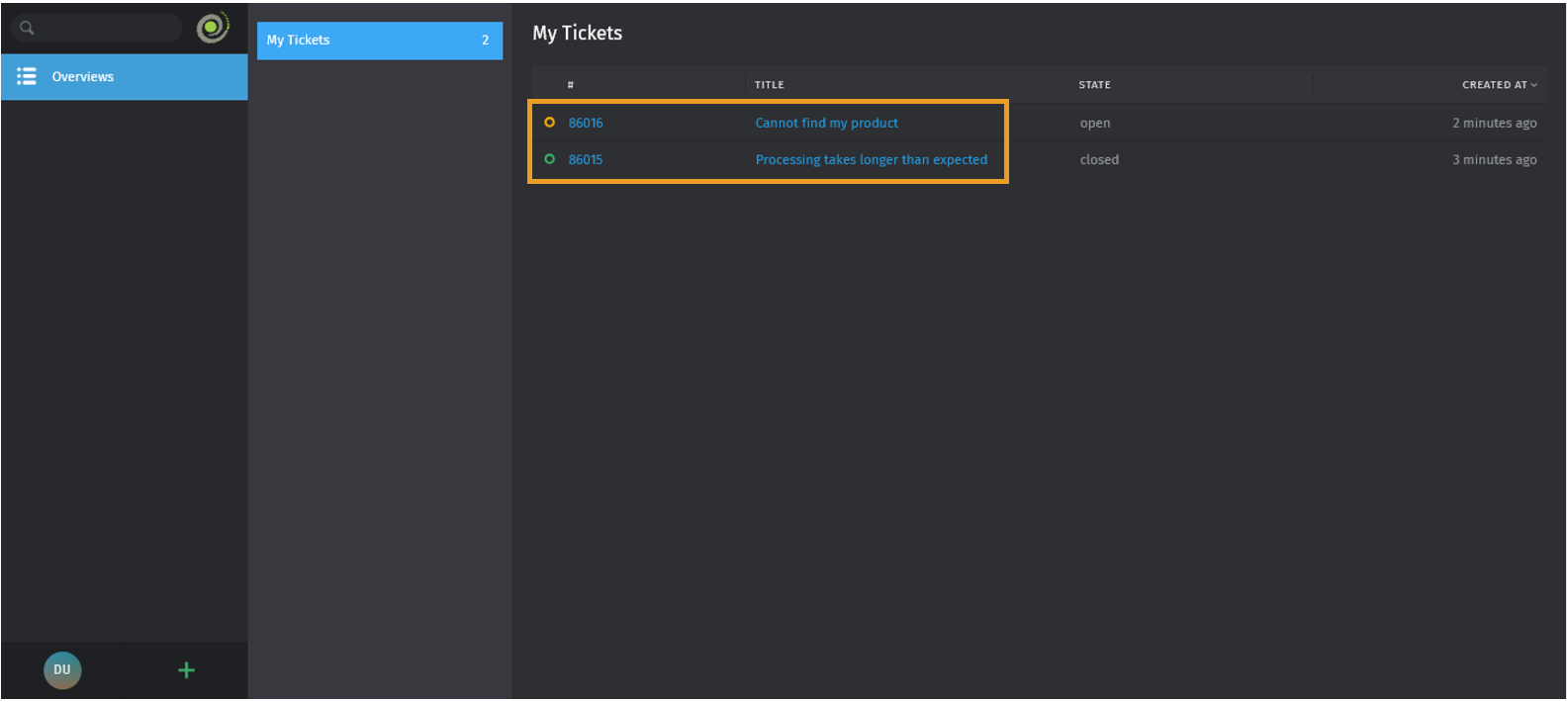
- If you prefer not to use the SEARCH, click OVERVIEWS in the side menu to browse your ticket lists
- Select a ticket to view
Step 3
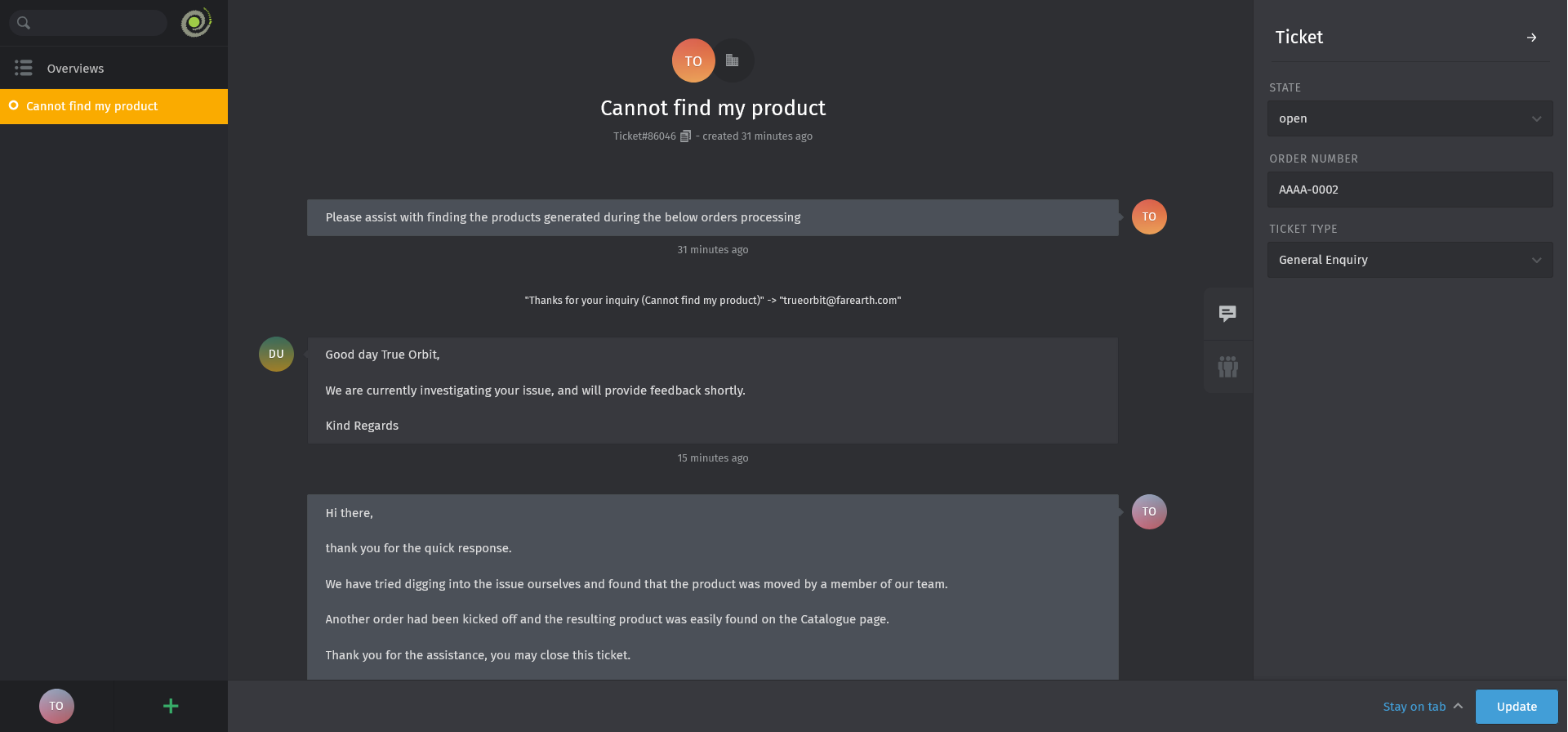
- The selected ticket details will show
Expected outcome
- You can now find tickets by ticket number or name in the FarEarth Helpdesk