Generate API keys
The API key allows all actions in FarEarth that the User has access to. Every User has a unique API key.
Follow these steps to obtain a unique user API key.
Prerequisites
- You need to have access to a FarEarth subscription with permission to manage users
- Only users with Admin privileges can generate API keys
- An Admin user can generate API keys for any other user in the subscription
- Only Admin users can fully use the API
note
If you do not have the relevant FarEarth permissions, contact your organisation's Administrator.
Step 1
- Go to FarEarth (https://gateway.farearth.space/)
- Log in with your admin e-mail and password
Step 2
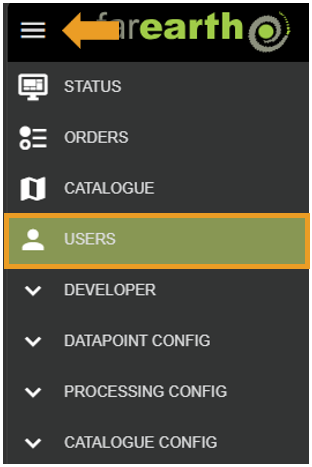
- Click MENU
- Click USERS
Step 3
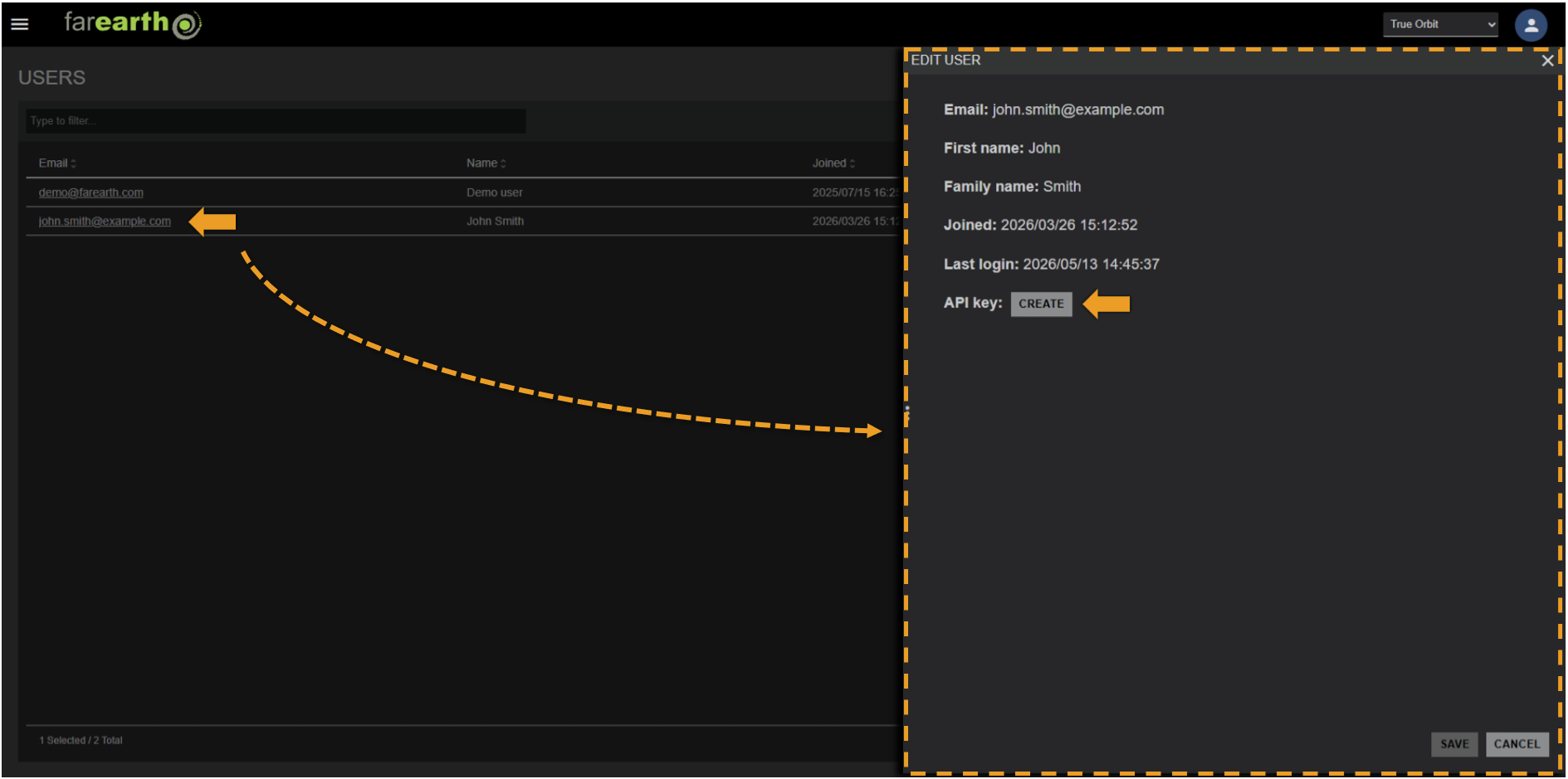
- Click on the user's e-mail address
- Click CREATE
Step 4
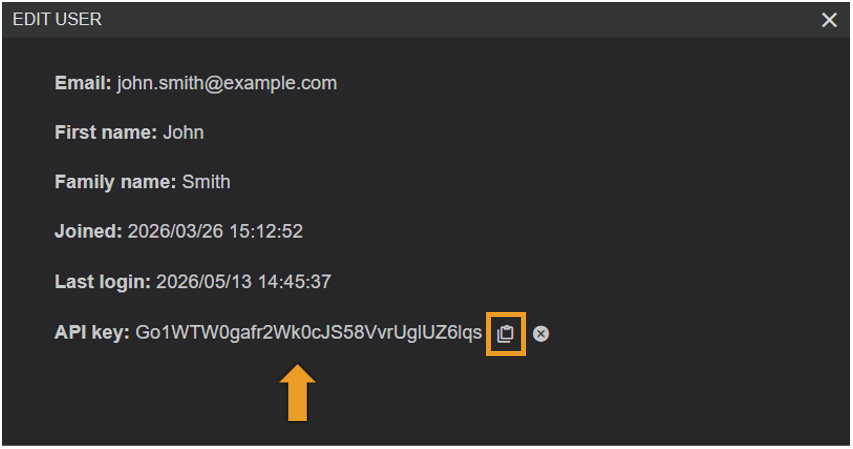
- An API key will be generated
- Click on CLIPBOARD to copy they key
- Use this key in your software to integrate with FarEarth
note
They API key will remain valid until the user account is removed or the key is revoked. You can remove the API key and all associated permissions by clicking on the remove button to the right of the key.