Invite a new FarEarth user
Follow these steps to add an existing or new User to your FarEarth subscription.
Prerequisites
- You need to have access to a FarEarth subscription with permission to manage Users
note
If you do not have the relevant FarEarth permissions, contact your organisation's Administrator.
Step 1
- Go to FarEarth (https://gateway.farearth.space/)
- Log in with your admin e-mail and password
Step 2
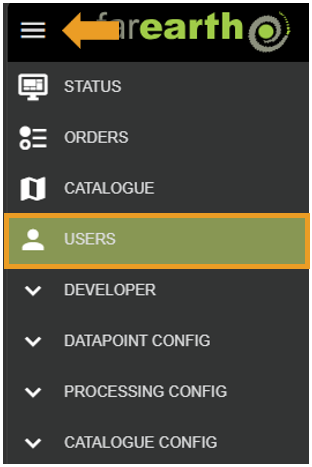
- Click MENU
- Click USERS
Step 3
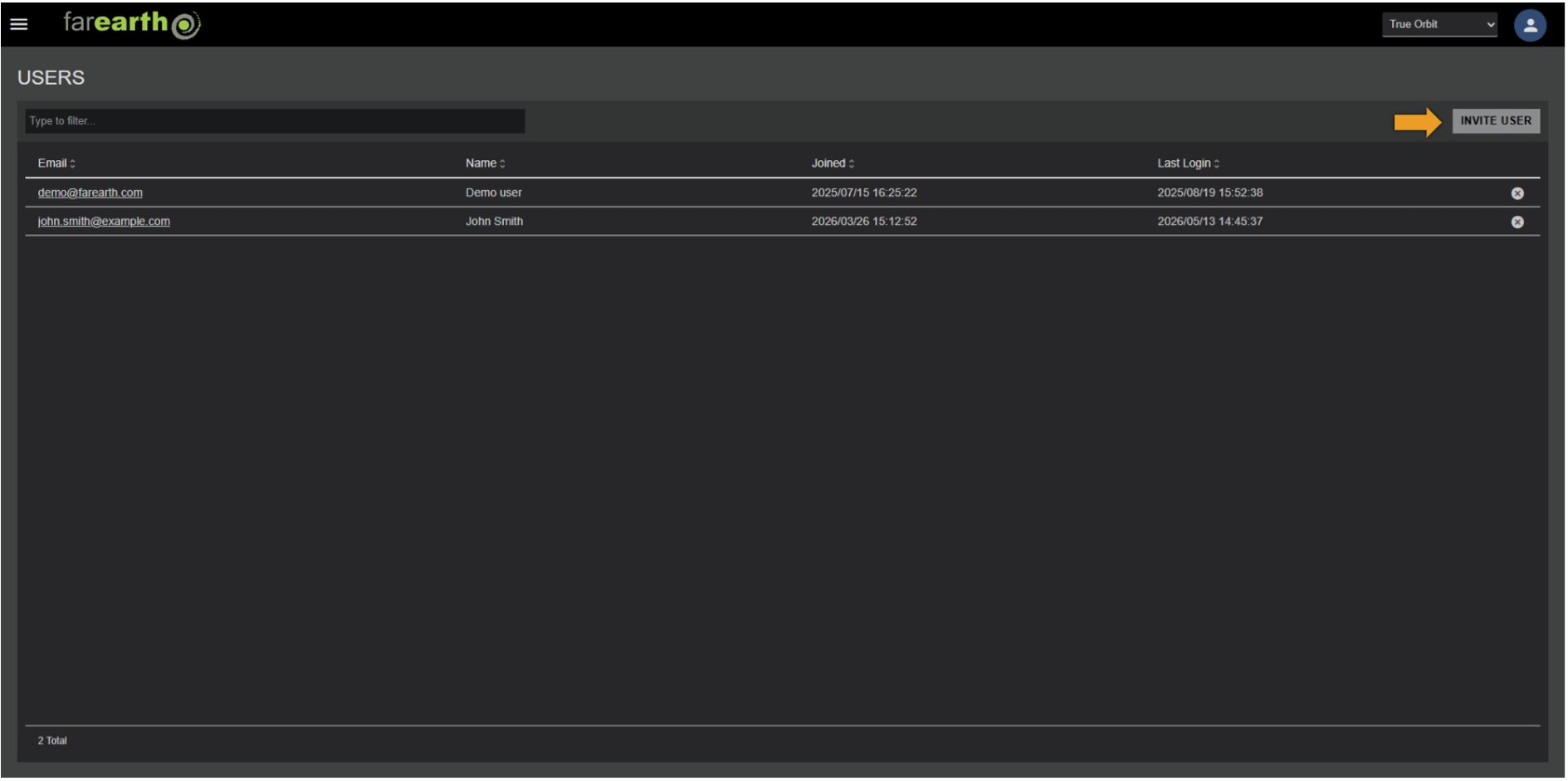
- Click INVITE USER
Step 4
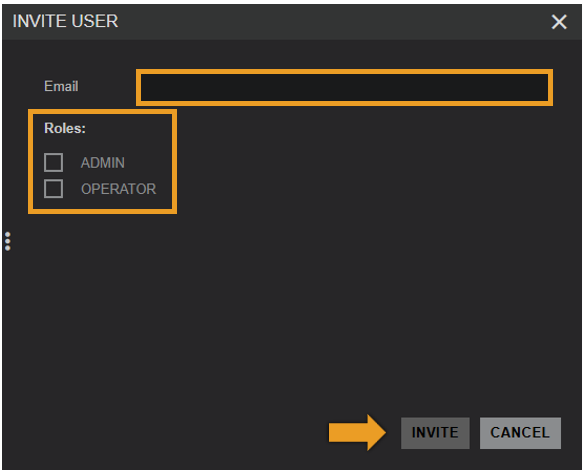
- Enter the new user's e-mail address
- Select the roles you want to assign to the user
- Click INVITE
Expected outcome
- The user will receive an e-mail invitation to join your FarEarth subscription
- If the User has an account with FarEarth, they will have immediate access
- If the User does not have an account with FarEarth, they will need to create a user account