Log into the FarEarth Helpdesk
Follow these steps to log into the FarEarth Helpdesk.
Prerequisites
- You need to have access to a FarEarth subscription
note
If you do not have access to FarEarth, contact your organisation's Administrator.
Step 1
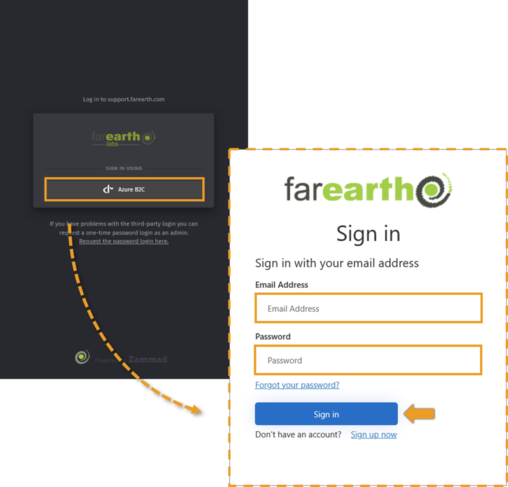
- Go to Helpdesk (https://support.farearth.com/)
- Click Azure B2C
- Enter your e-mail and password
- Click SIGN IN
Step 2
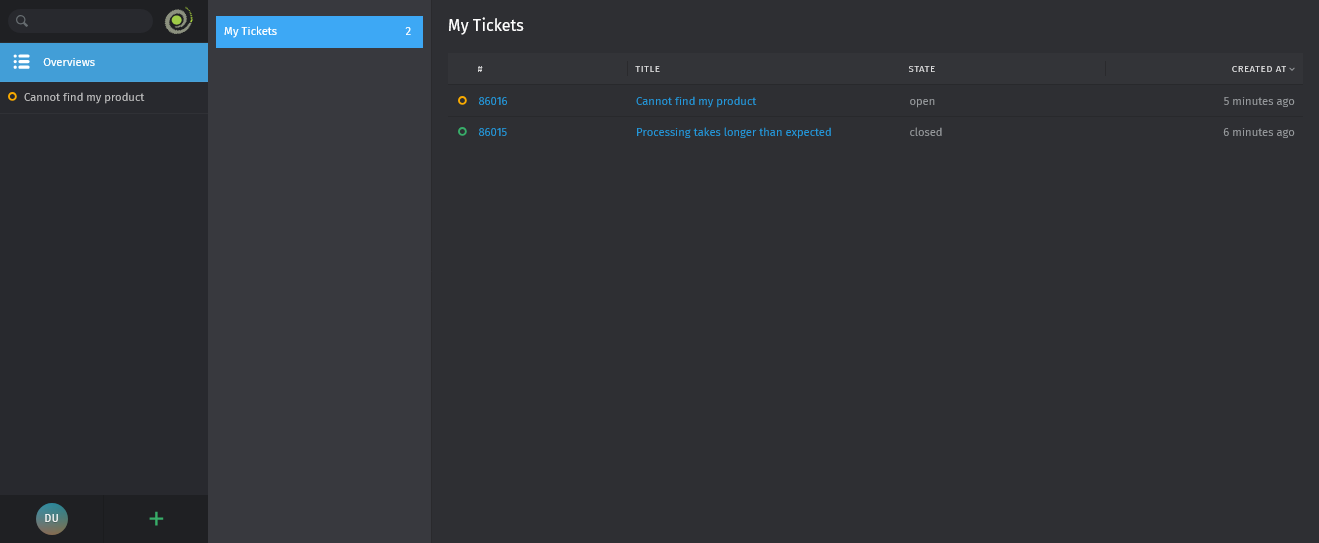
- Helpdesk will open
Expected outcome
- You can log into the FarEarth Helpdesk