Opening FarEarth API documentation
All FarEarth APIs are documented in the software platform. You can also use the API page in the platform to test the APIs.
Step 1
- Go to FarEarth (https://gateway.farearth.space/)
- Log in with your admin e-mail and password
Step 2
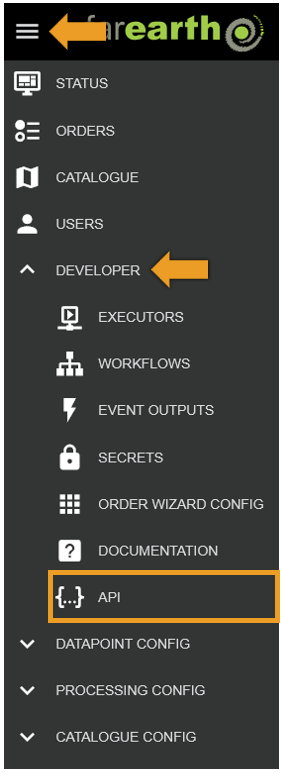
- Click MENU
- Click DEVELOPER
- Click API
Step 3
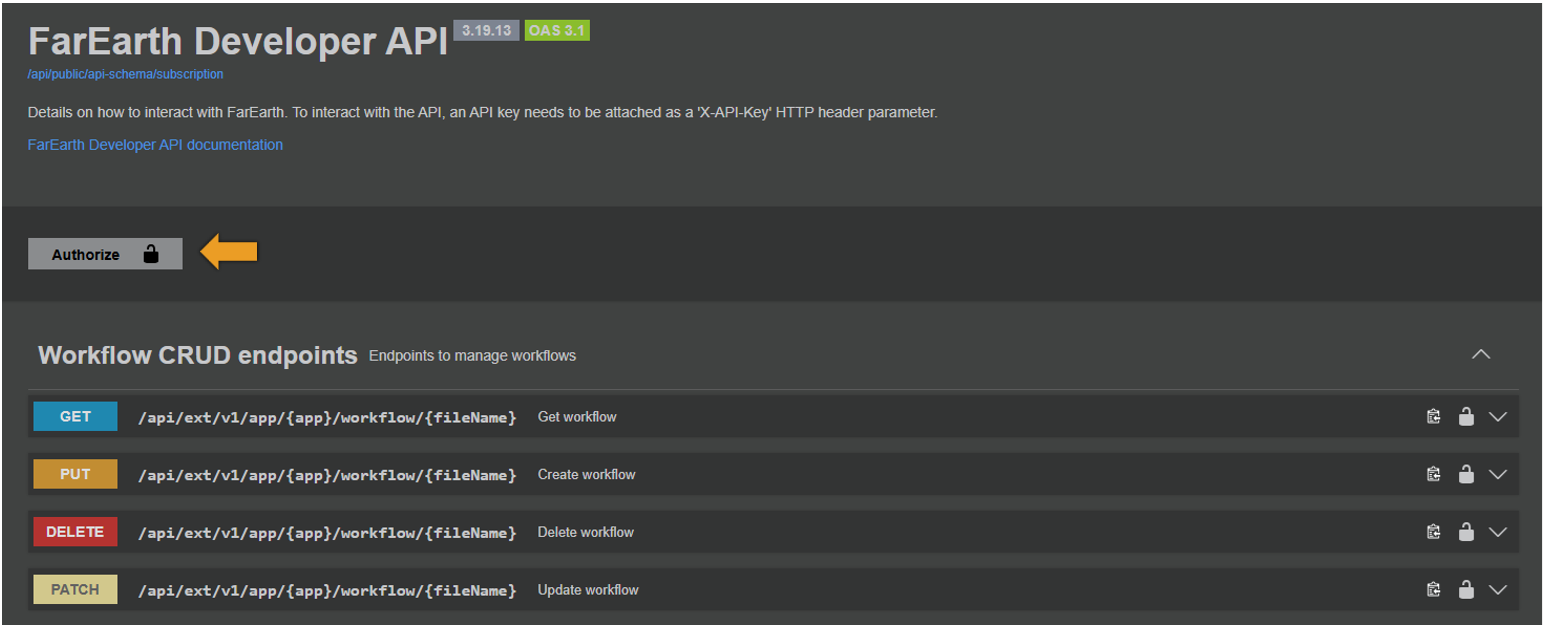
- Click AUTHORIZE
Step 4
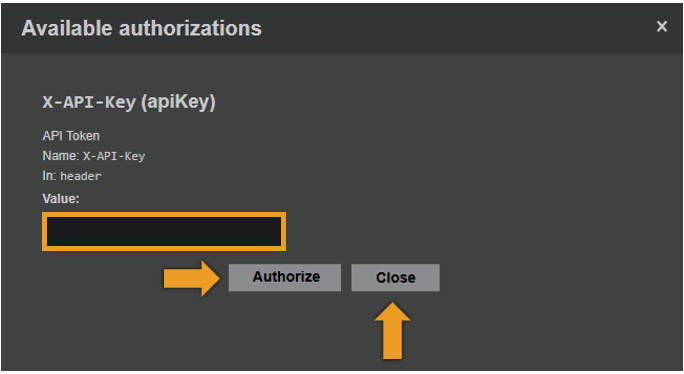
- Enter USER API key. See how to generate API keys
- Click AUTHORIZE
- Click CLOSE
Step 5
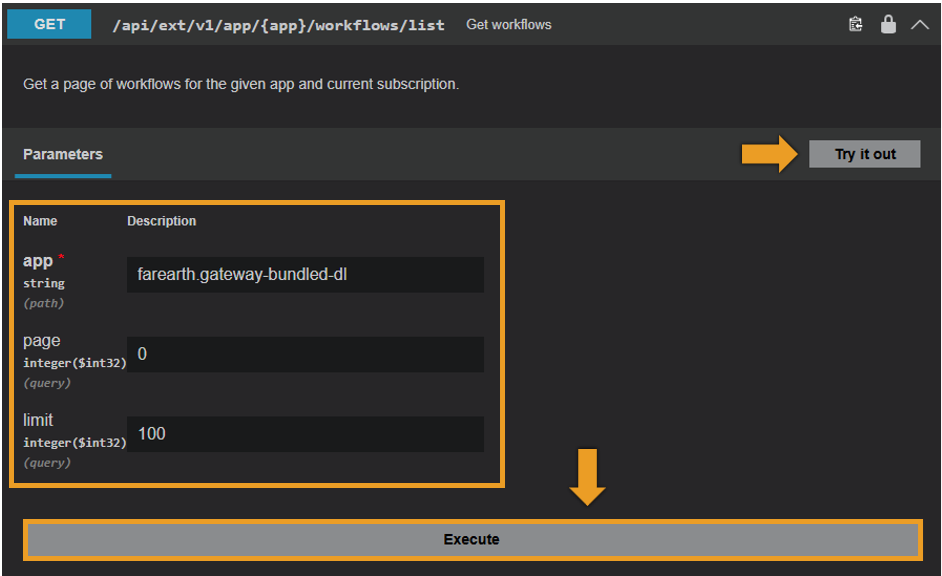
- Navigate to the API call that you want to test (example shown below)
- Click TRY IT OUT
- Enter the required parameters
- Click EXECUTE
Expected outcome
- The response will show the CURL command to run the query and validate the URL
- The server response and all header fields will show