View product metadata
Follow these steps to view product metadata in FarEarth.
Prerequisites
- You need to have access to a FarEarth subscription with permission to view the Catalogue
- Satellite image products must be available in your FarEarth Archive
note
If you do not have access to FarEarth, contact your organisation's Administrator.
caution
To switch between your organisation's subscriptions, click on the dropdown menu.
Ensure you select the account associated with the data you want to view.

Step 1
- Go to FarEarth (https://gateway.farearth.space/)
- Log in with your e-mail and password
Step 2
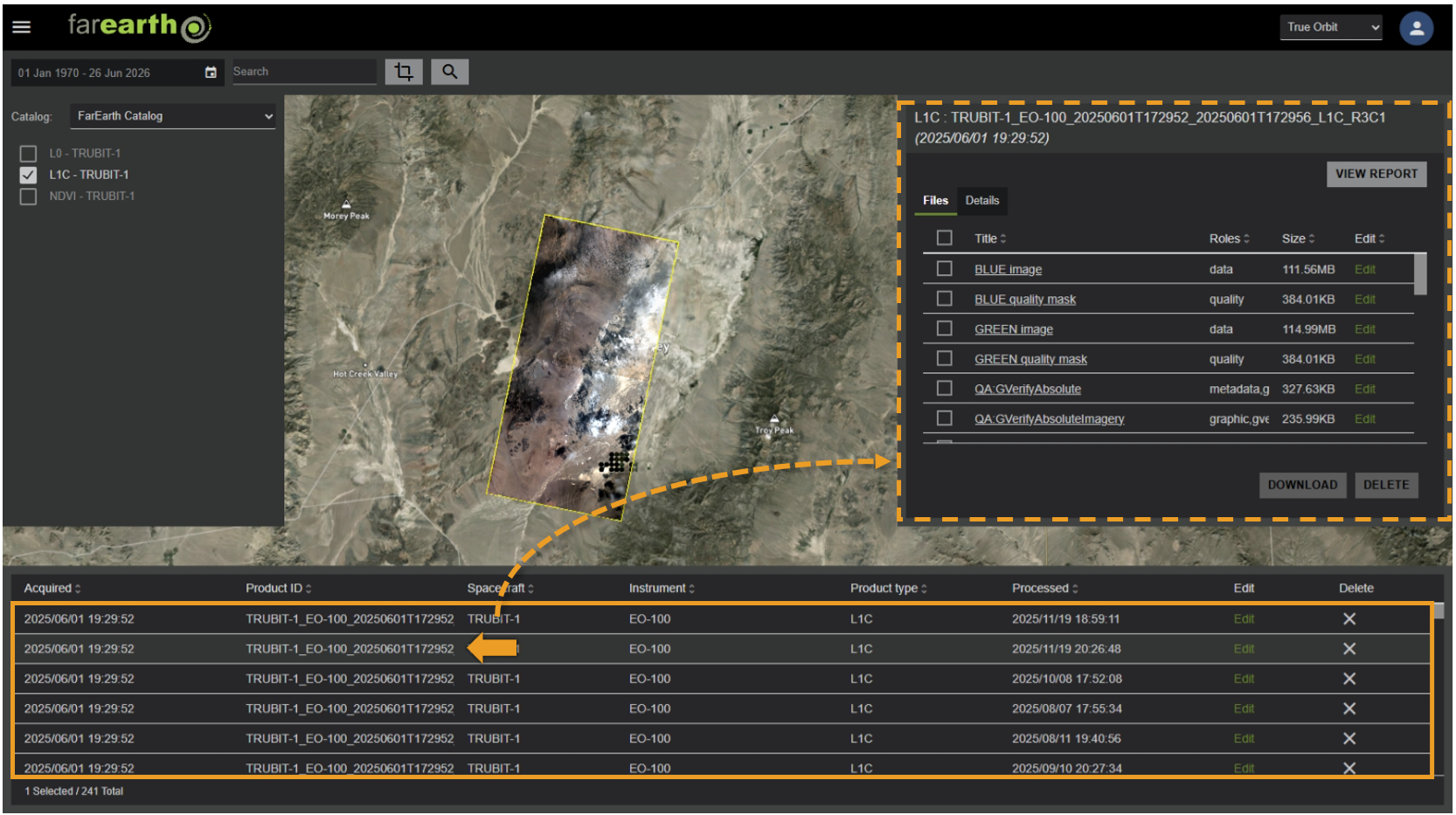
- Follow the instructions in the search for satellite data how-to guide
- Select the product to open it in the product window
Step 3
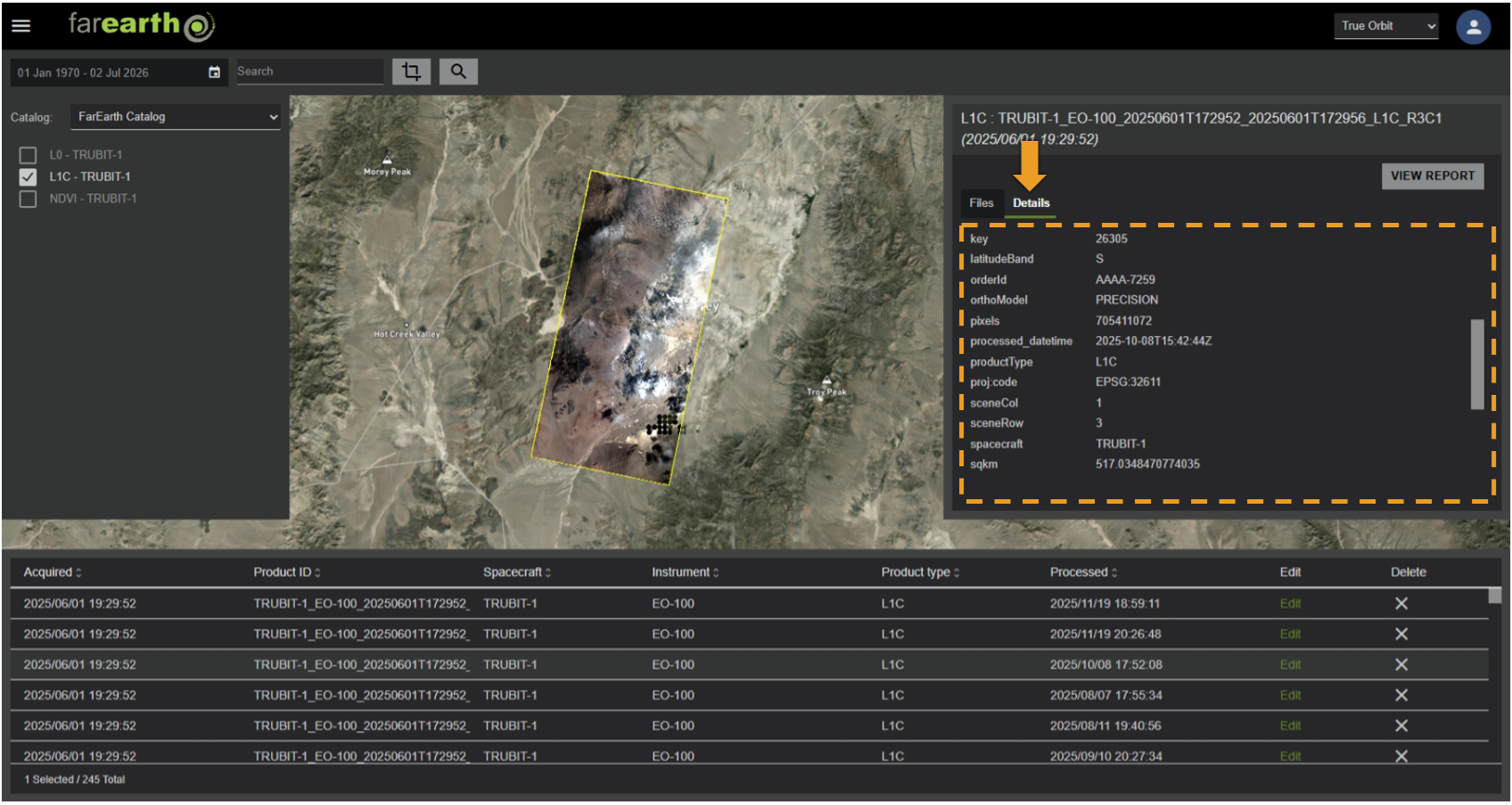
- In the product window, click DETAILS
- This view displays a summary of the product's metadata attributes
Step 4
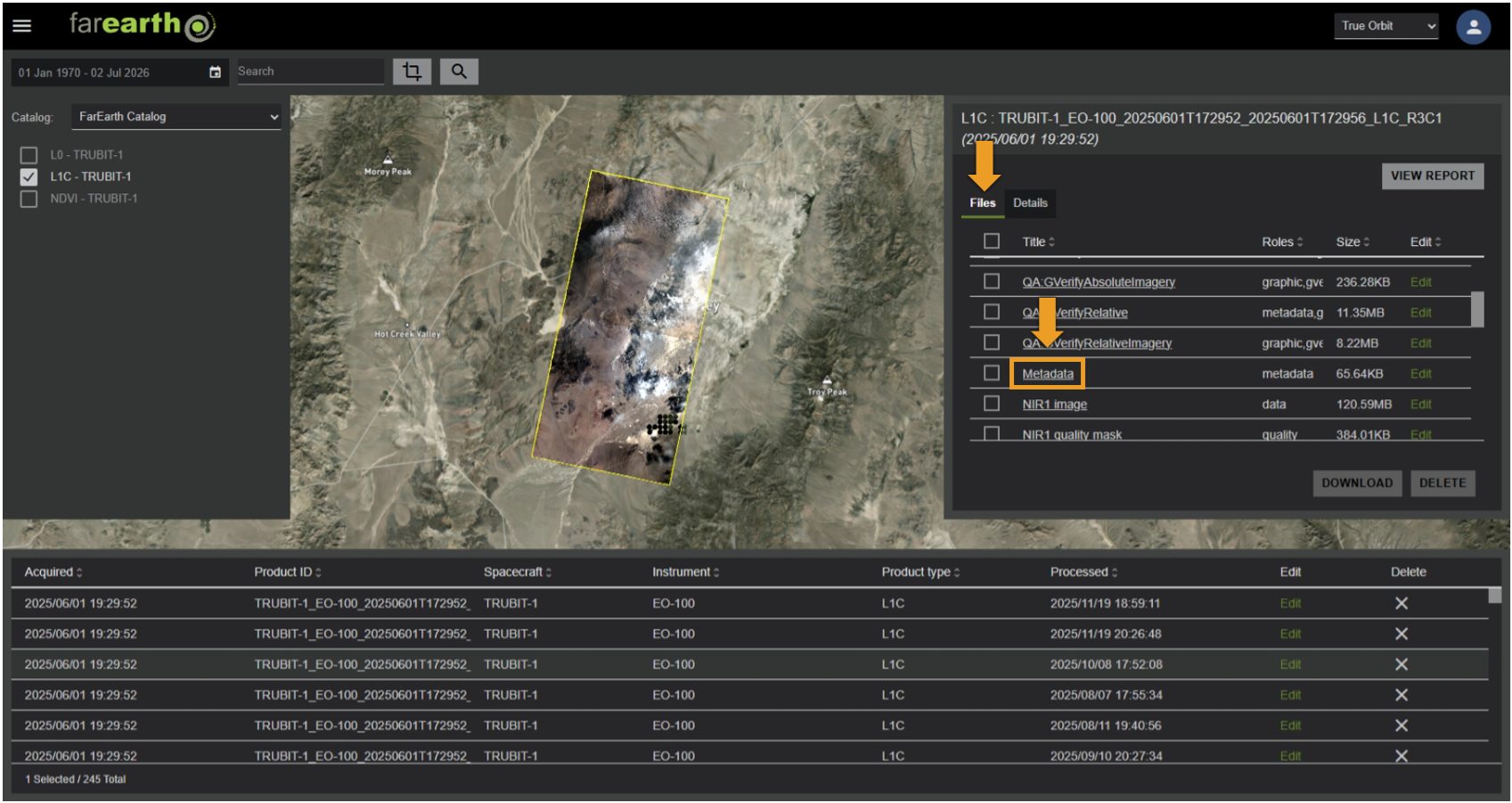
- For an in-depth view of the metadata, click FILES
- Click METADATA to view the GeoJSON file
note
You can also select the checkbox next to any file(s) and click DOWNLOAD. The files will download directly to your computer.
Step 5
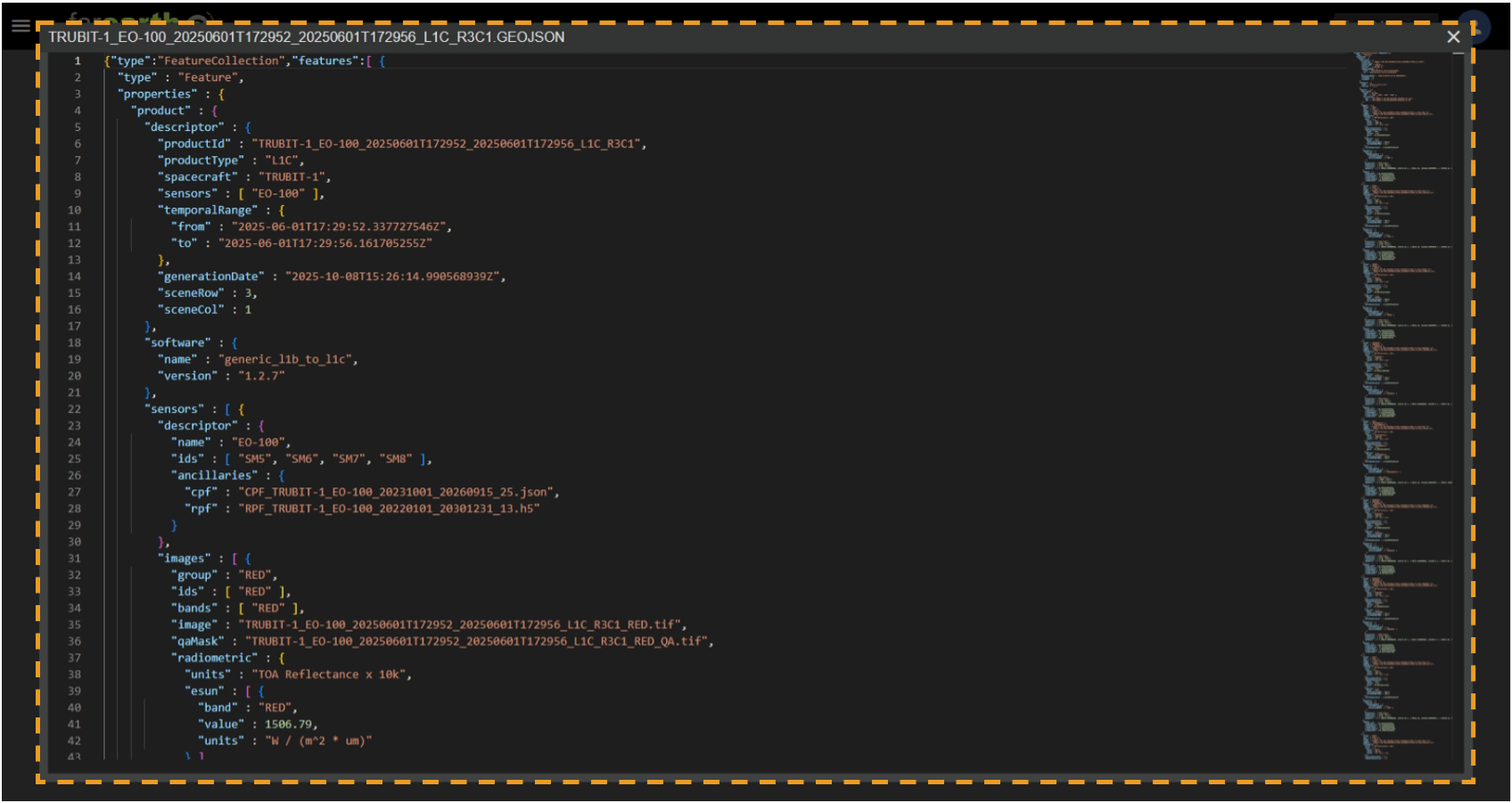
- The metadata file will open
Expected outcome
- You will be able to view the metadata for your selected product