FarEarth Processors
The Processors page allows you to add end edit Processor configurations.
Learn more about Processors.
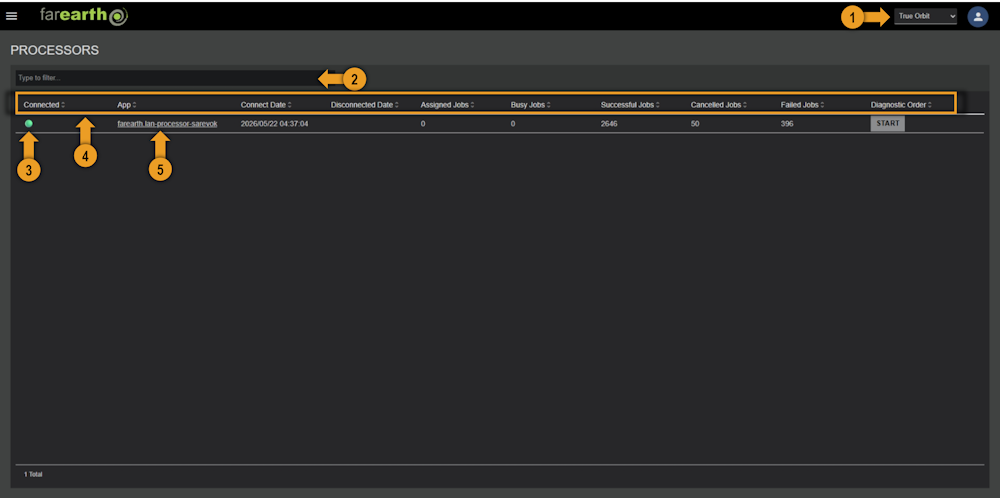
1. Switch organisation
Choose between your personal account or one of the organisations that you belong to using this dropdown menu.
2. Text filter for Processors
Filter the list of Pickups by their id using the text filter box.
3. Processor status icon
This icon turns green if a processing cluster is available and online.
4. Sort by Processor properties
Choose any of the properties to sort the Processors list by it. Click a second time to toggle between ascending and descending sorting.
5. View Processor details
Click on the Processor file name to view and edit an existing Processor.